
Canva is a graphic design platform that has integrated powerful AI features to help users create stunning visual content
Getting Started
Accessing Canva
- Open your web browser and go to canva.com
Creating an Account
To use Canva, you’ll need to create an account:
- Click on “Sign up” on the main page
- You can sign up using:
- Google account
- Facebook account
- Email address
- Students under 13 should get parent permission and help with account creation
Free vs Paid Features
Canva offers both free and paid (Canva Pro) versions:
| Feature | Free Version | Canva Pro |
| Basic design tools | ✓ | ✓ |
| Templates | Limited selection | Full library |
| AI Magic Design | Limited usage | Unlimited |
| AI Magic Write | Limited usage | Unlimited |
| Storage | 5GB | 1TB |
| Background remover | Limited | Unlimited |
| Cost | Free | Subscription-based |
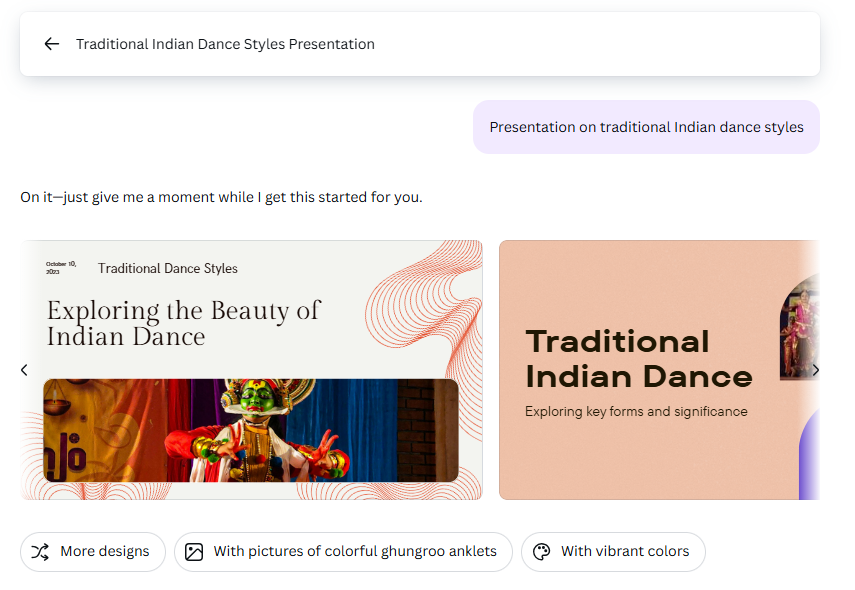
Example 1: Creating Presentations on Indian Classical Dance (CBSE/ICSE)
Scenario: You need to create a presentation on Indian classical dance forms for a Class 7 cultural studies project.
How to use Canva AI:
1. Click on Canva AI.
2. Type “Create a presentation on traditional Dance styles of India.

3. Canva AI will come back with some presentations. Click the one you like and customize it.
Know more about Canva AI from their video : Canva Create 2025: Introducing Canva AI